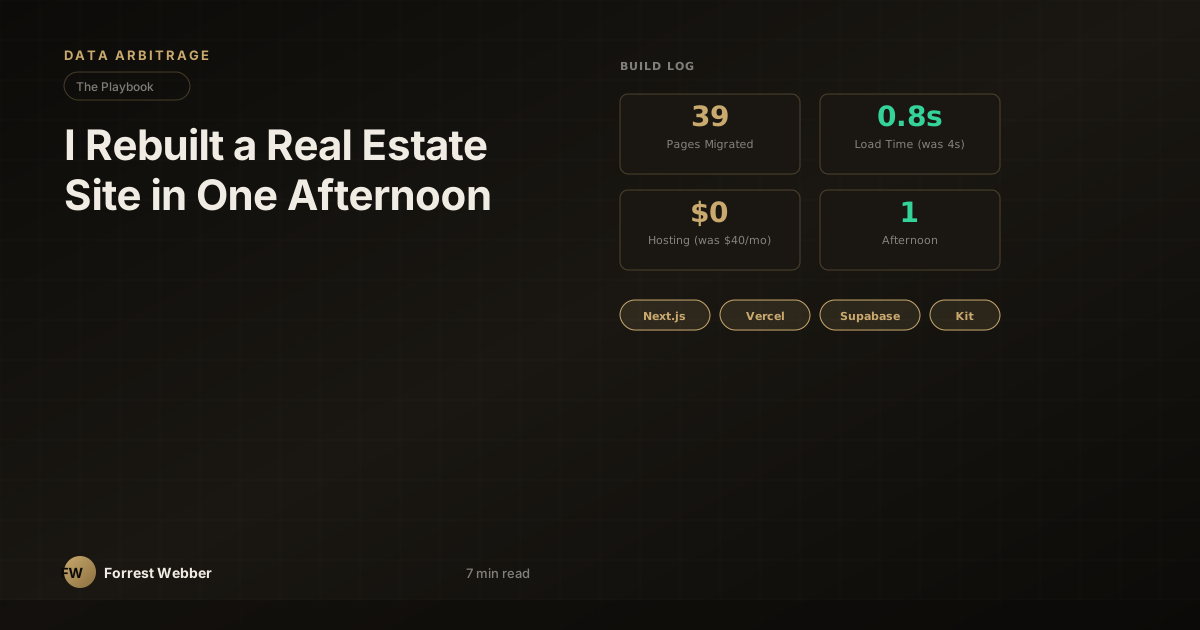
I Rebuilt a Real Estate Website and Lead System in One Afternoon
I had a WordPress site that was costing me $40 a month to host on BigScoots, running Elementor, loading in four seconds, and doing essentially nothing. It had 39 pages of real estate content — property listings, investor resources, company pages — all trapped inside a visual page builder I didn't want to touch anymore.
This afternoon I rebuilt the entire thing from scratch in Next.js 16, migrated the DNS to Vercel, wired a lead management system from form submission to newsletter to Telegram notification, built an admin dashboard, wrote three SEO blog posts, and ran a mobile audit. One session. I want to walk through exactly what that looked like, because the stack decisions matter more than the speed, and the speed only happened because the stack was right.
What was wrong with the old site
The WordPress/Elementor setup wasn't broken in the dramatic sense. It loaded, the pages rendered, the content was there. But it had the slow rot that every WordPress site develops when the owner stops actively maintaining it:
- 4+ second load times. Elementor injects massive CSS and JS bundles regardless of what's on the page. Every visit loaded the full builder runtime.
- $40/month hosting for a site that could run on a static CDN for free.
- No lead capture. The contact form went to a generic email. No tagging, no segmentation, no way to tell whether someone was an investor, a seller, or a buyer without reading every message manually.
- No analytics pipeline. GA4 was technically installed but the tag was two versions old and Search Console wasn't connected.
- Content locked in Elementor. Editing a page meant opening the visual builder, waiting for it to load, dragging widgets around, and hoping the responsive view didn't break something else. Writing a new blog post took longer than writing the post.
None of this is unique. This is what most small business websites look like eighteen months after launch. The site works, technically. It just doesn't do anything.
The rebuild: 39 pages in Next.js 16
I used Claude as a build partner for the entire session. Not "AI-generated content" in the way people usually mean that — I directed every architectural decision, wrote the copy, chose the images, and made the design calls. The AI handled the mechanical translation: converting 39 Elementor pages into React components, setting up the routing structure, building the reusable layouts, and wiring the plumbing I'll describe below.
The stack:
- Next.js 16 with the App Router. Every page is a server component by default. No client-side JavaScript unless a component explicitly needs interactivity (forms, the mobile menu, the admin dashboard).
- Vercel for hosting. Push to main, it deploys. No build server to manage, no SSH, no cPanel. The site now loads in under a second on a cold hit.
- All 39 pages migrated. Property listings, About, investor resources, blog posts, contact pages — everything the old site had, rebuilt as clean components with real HTML instead of Elementor's div soup.
- Every image preserved. I downloaded every image from the WordPress media library and served them through Next.js's image optimization. The hero images that were 2MB PNGs on WordPress are now responsive WebP at a fraction of the size.
The old site was 4+ seconds to first contentful paint. The new one is under 800ms. That's not a Next.js sales pitch — it's what happens when you stop shipping a page-builder runtime to every visitor.
The lead system: forms to Supabase to Kit to Telegram
This is the part that matters more than the website itself, because a fast website with no lead pipeline is just a prettier brochure.
Here's what I built:
1. Smart forms with auto-tagging. Every contact form on the site captures the submission in Supabase with automatic tags based on which page the form lives on. Someone submitting from the investor resources page gets tagged investor. Someone from a property listing page gets tagged buyer. The seller inquiry form tags seller. No manual sorting.
2. Supabase as the lead database. Every submission lands in a leads table with the contact info, the source page, the auto-tags, a timestamp, and a status field (new, contacted, qualified, closed). This isn't a CRM — it's a clean, queryable table that I own. No monthly SaaS fee, no vendor lock-in, no feature bloat.
3. Kit newsletter subscription. Every form submission that includes an email gets pushed to Kit (formerly ConvertKit) with the appropriate tag. Investors go into the investor segment. Buyers into the buyer segment. This happens server-side, invisibly — the person filling out the form doesn't see a "subscribe to our newsletter" checkbox. They just start getting relevant content based on what they asked about.
4. Telegram DM notifications. Every new lead triggers a Telegram message to my phone. Not an email notification that gets buried — a Telegram DM with the person's name, email, phone, which form they submitted, and what they're looking for. I see it within seconds. For a real estate business where response time correlates directly with conversion, that lag reduction from "check email eventually" to "phone buzzes immediately" is worth more than any design improvement.
The whole pipeline — form submission to database row to newsletter tag to Telegram ping — runs in about two seconds end to end.
The admin dashboard
I built a simple admin panel at a protected route. Dark UI, sidebar navigation, the same design language I use for my other dashboards. It shows:
- All leads, filterable by type (investor, buyer, seller, general)
- Lead status tracking (new → contacted → qualified → closed)
- Submission source and timestamp
- Quick actions for each lead
It's not Salesforce. It's a single page that shows me exactly who's come in and what they need, without logging into three different tools. The filter tabs across the top let me pull up just investors, or just sellers, in one click.
The SEO and analytics layer
While the site was building, I wrote three blog posts targeting real estate keywords with actual search volume in the Austin market. Long-form, specific, the kind of content that ranks because it answers a question completely instead of stuffing keywords into 300 words of nothing.
The programmatic SEO infrastructure:
- GA4 wired with the measurement ID in the layout, firing on every page.
- Google Search Console verified and connected.
- Sitemap generated automatically from the page structure — every route in the app gets an entry.
- robots.txt configured to allow full crawling with the sitemap URL.
- OpenGraph and meta tags on every page, dynamically generated from the page content.
None of this is glamorous work. It's the plumbing that makes a site discoverable instead of invisible. On the WordPress site, half of this was broken or misconfigured. On the new site, it's all generated from the source of truth — the actual page content — so it can't drift.
The DNS migration
The old site was hosted on BigScoots with the domain pointing to their nameservers. I migrated the DNS to Vercel's nameservers, updated the A records and CNAME records, waited for propagation, and verified HTTPS. The whole migration took about twenty minutes, including the TTL wait.
Monthly hosting cost went from $40 to $0. Vercel's free tier handles this site trivially, and I already have Vercel Pro for my other projects.
What this actually cost
Let me be specific, because vague claims about "saving money" don't help anyone:
- Old monthly cost: $40/month (BigScoots WordPress hosting)
- New monthly cost: $0 incremental (Vercel Pro already paid for other projects; Supabase free tier; Kit free tier for this volume)
- Time: One afternoon session, roughly 6 hours of focused work with AI assistance
- Annual savings: $480/year in hosting alone
The lead system has no ongoing cost until I exceed Supabase's free tier limits, which at the volume a local real estate site generates, won't happen for a long time.
The real lesson: leverage, not speed
The point of this post isn't "look how fast I built a website." Speed is a side effect, not the goal. The point is about leverage — specifically, what becomes possible when you pair the right tools with AI that handles the mechanical translation.
A year ago, this rebuild would have taken me a week. Not because the decisions were different — I'd have chosen the same stack, the same architecture, the same lead pipeline. The week would have gone to the typing: manually converting 39 pages of Elementor markup into React components, writing the form handlers, setting up the Supabase schema, debugging the Telegram webhook, writing the sitemap generator. All of it knowable, none of it creative, all of it time.
That's what collapsed. The decisions — what to build, how to structure it, what the lead pipeline should look like, which keywords to target — those are still mine. The AI didn't make those calls. But the mechanical work of turning those decisions into running code went from days to hours.
For operators building real businesses on real-world data, this is the leverage that matters. Not AI-generated slop. Not "I asked ChatGPT to make me a website." A human operator who knows what good looks like, directing a tool that removes the friction between the decision and the implementation.
The site loads in under a second. Every lead hits my phone in two. The hosting bill is zero. And the WordPress login I used for two years is a tab I'll never open again.
This is part of the playbook series — real builds, real numbers, real stacks. If you're an operator building on data and want the specifics, not the hype, the newsletter is where the playbooks land first.
Everything in this blog is built on the same data that powers Texas Signals: 8.9M+ property records, pre-foreclosures, tax delinquencies, and distress signals across 150+ Texas counties. Free 7-day trial.
Try Texas Signals FreeCheck out my books on Amazon and Gumroad — same operator voice, deeper frameworks.